

Free for Mac
AppFreeze
Take control of your Mac’s memory.
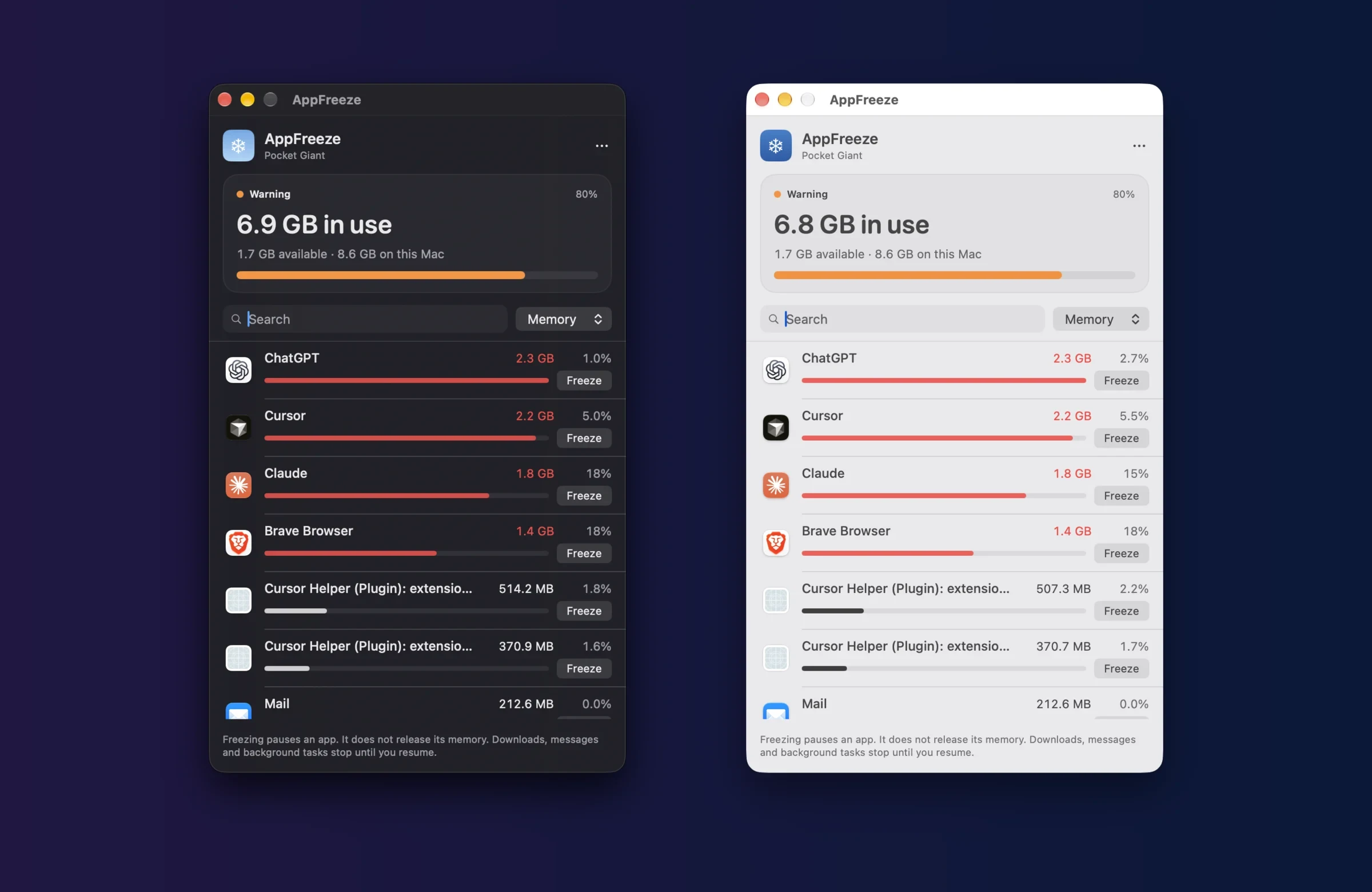
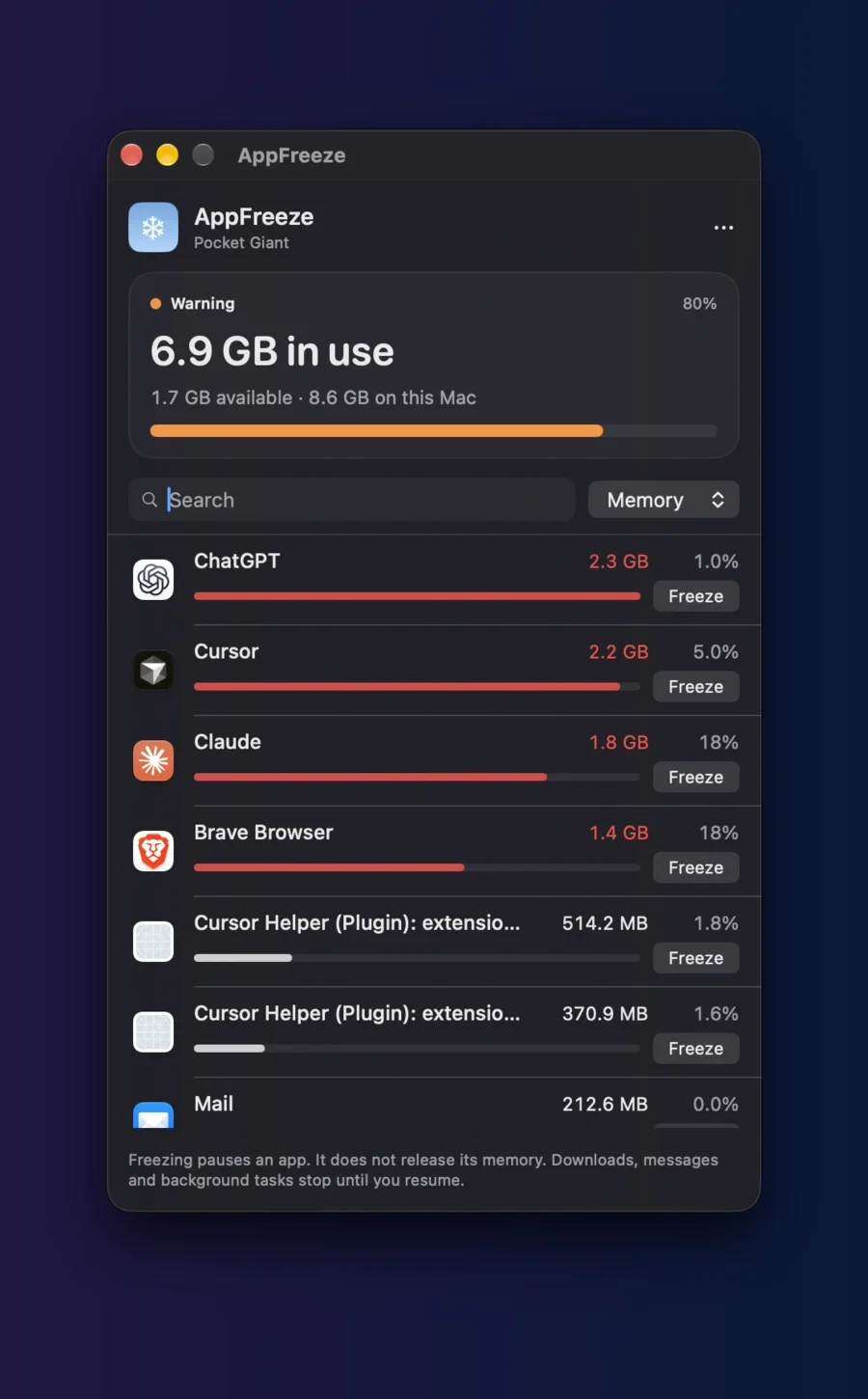
AppFreeze sits in your menu bar and shows how your Mac’s memory is doing and which apps are using the most memory and CPU. When one app is hogging your Mac, pause it, and resume it when you are ready.
How it works
-
Memory at a glance
The dashboard shows memory pressure, memory in use, available RAM and the physical RAM in your Mac.
-
Who is using it
Apps are listed with their memory and CPU, including the helpers inside each app. Search, and sort by memory, CPU or name.
-
Pause, then resume
Freeze pauses an app until you resume it. AppFreeze never force-quits anything, and frozen apps stay at the top of the list.
-
Alerts, if you want them
Opt in to a quiet notification when an app stays above your CPU or memory threshold. AppFreeze only asks for permission when you enable alerts.
Install
- Download the disk image and open it.
- Drag AppFreeze into Applications.
- Open AppFreeze. It is signed by Pocket Giant and notarised by Apple, so the first time macOS simply asks you to confirm opening an app downloaded from the internet. Choose Open.
Good to know
- Freezing is not quitting.
- A frozen app keeps its memory, and its downloads, messages and background work stop until you resume it. The first freeze asks you to confirm.
- Safe by design.
- Finder, the Dock and other essential system processes are protected, and everything AppFreeze paused is resumed when it quits. No accounts, analytics or network connections.
Made by Pocket Giant. Read the source on GitHub.