

Free for Mac
QuotaBar
Your AI limits, at a glance.
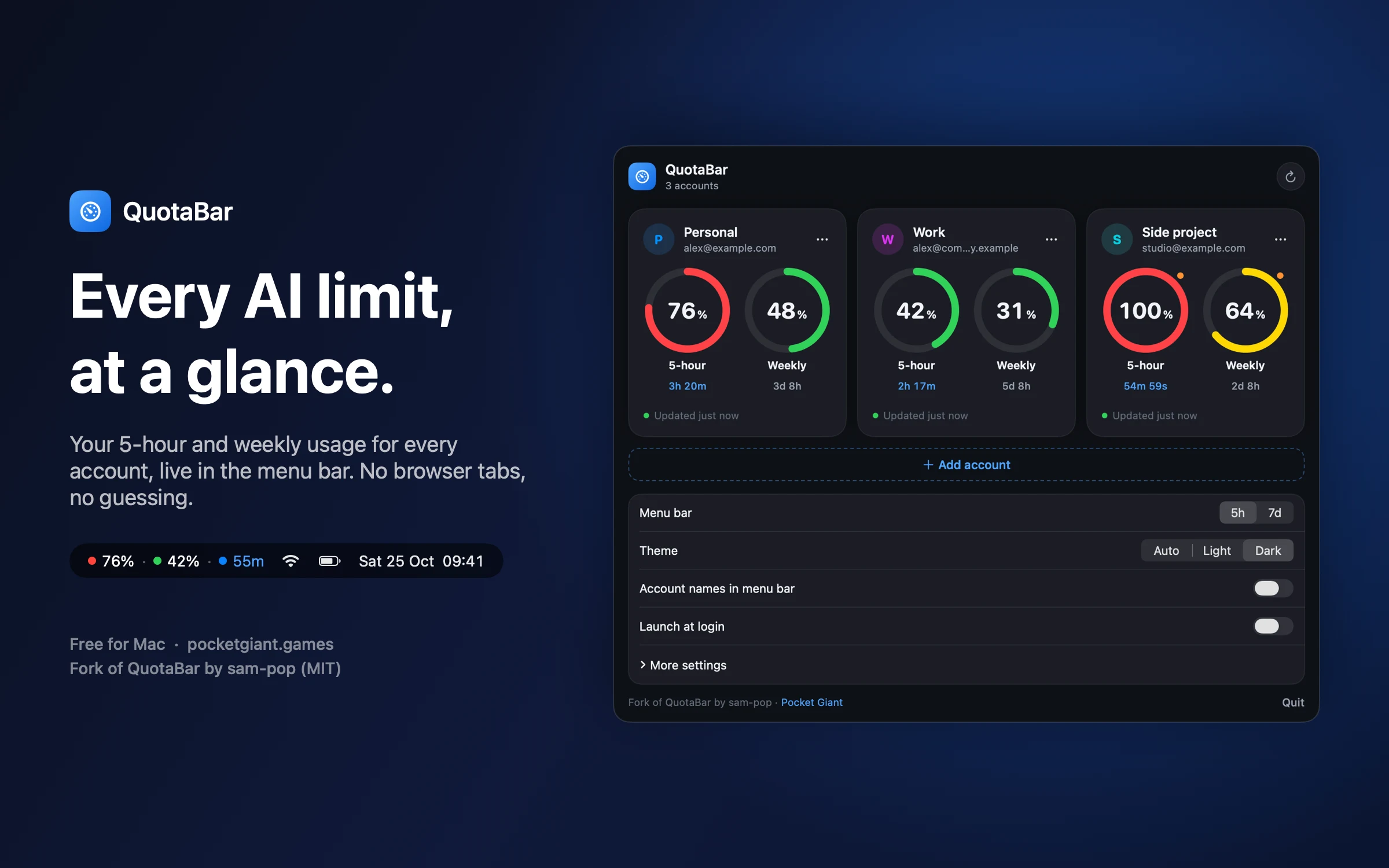
See how much of your Claude and OpenAI allowance you have used, for every account, straight from the menu bar. Click for the full picture and the time until each limit resets.
How it works
-
One dot per account
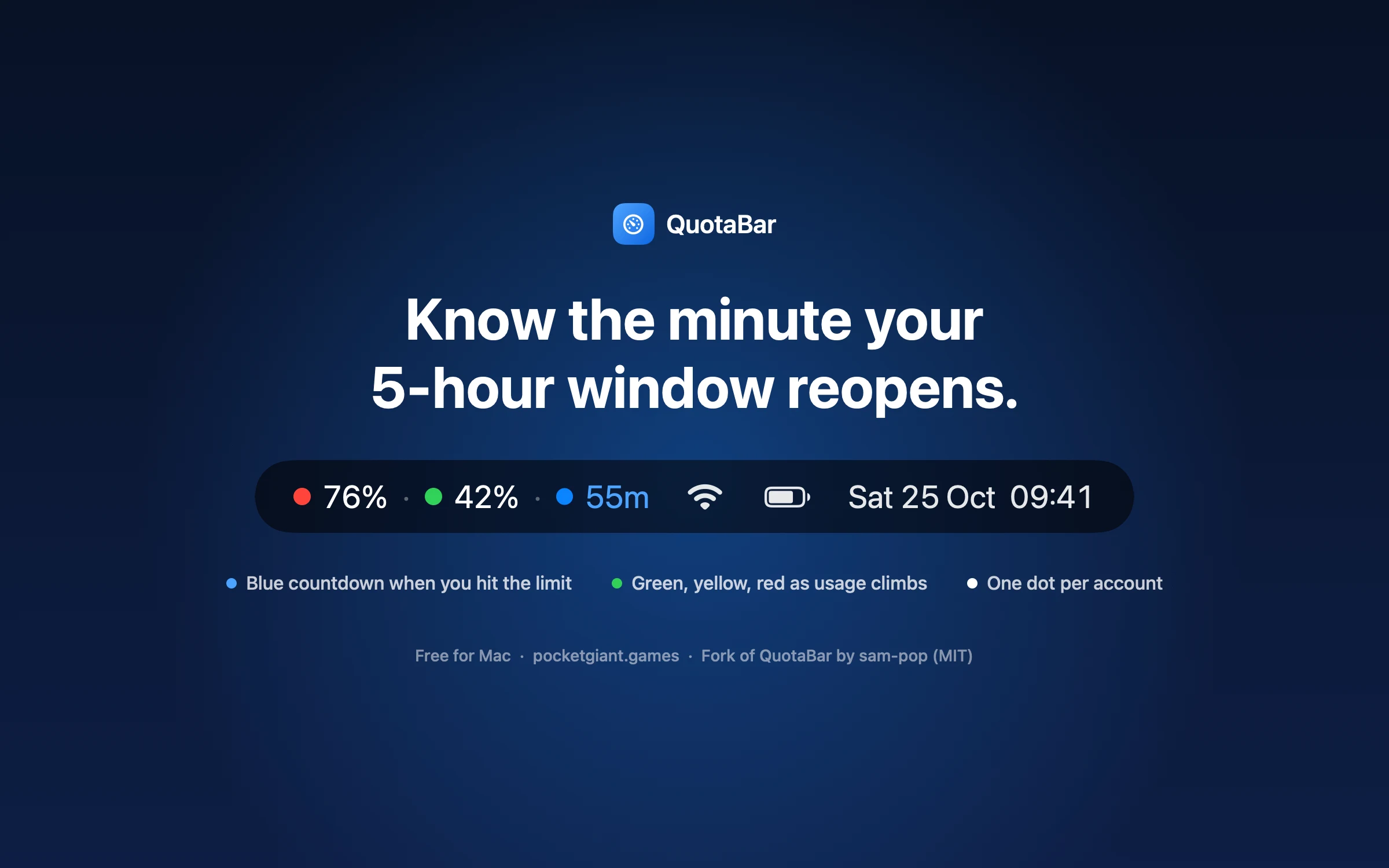
Each account gets a dot in the menu bar that turns green, yellow and red as usage climbs. Show the 5-hour window or the weekly one.
-
A countdown when you run out
A used-up 5-hour window turns into a blue countdown, so you know exactly when it reopens.
-
Every account together
Track personal and work Claude accounts alongside OpenAI (Codex) accounts, each with its 5-hour and weekly usage as rings.
-
Alerts, if you want them
Optional notifications when usage passes the levels you choose, and when an allowance resets.
-
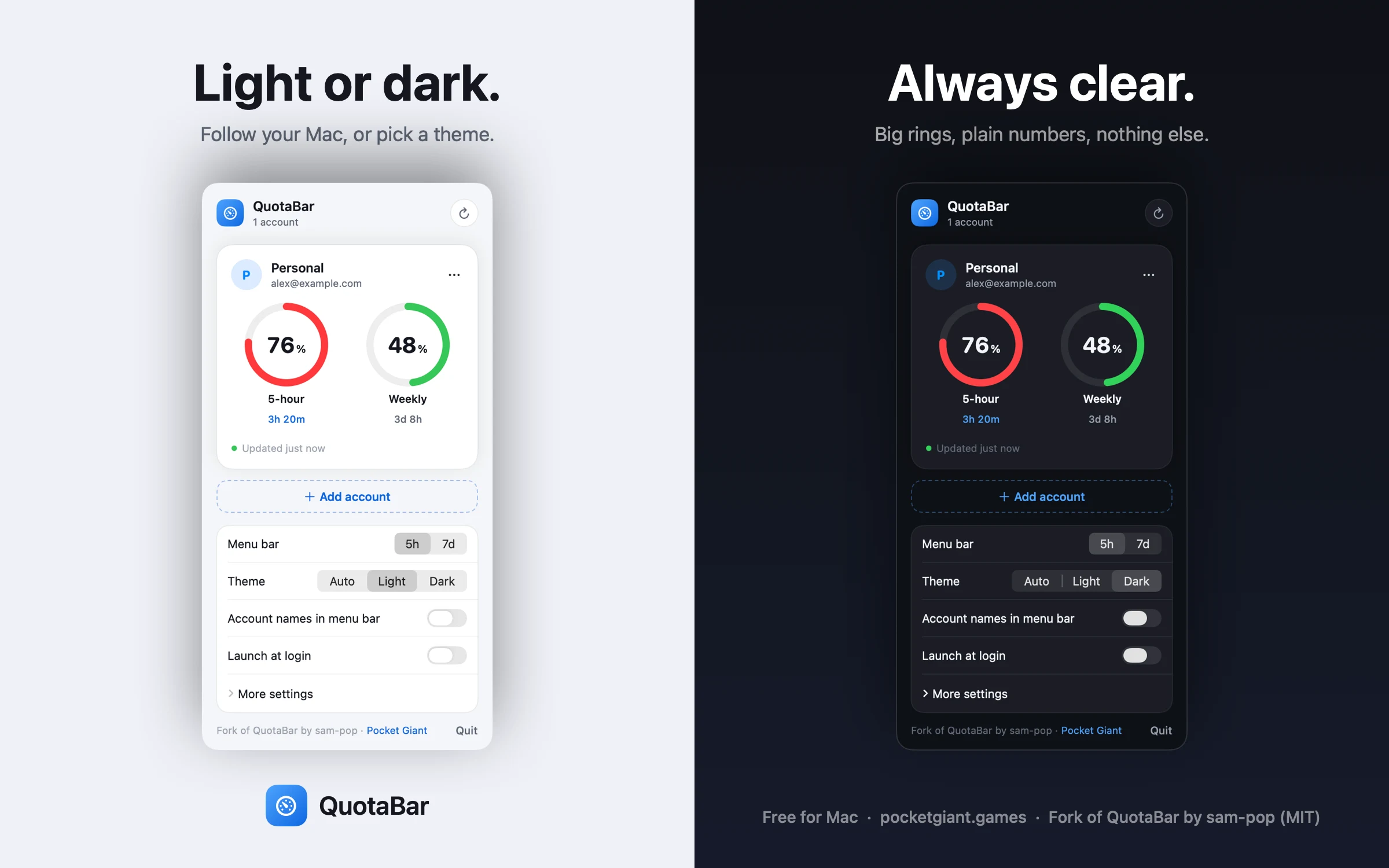
Light or dark
Follow your Mac, or pick a theme.
Install
- Download the disk image and open it.
- Drag QuotaBar into Applications.
- Open QuotaBar. It is not yet notarised by Apple, so the first time macOS shows a warning. On macOS 15 or later, choose Open Anyway in System Settings › Privacy & Security. On earlier versions, right-click QuotaBar in Applications and choose Open. You only need to do this once.
Good to know
- You sign in with your browser.
- QuotaBar reads your usage directly from Anthropic and OpenAI. Your sign-in stays in your Mac’s Keychain, and nothing is sent to Pocket Giant.
- Not an official app.
- QuotaBar is not made or endorsed by Anthropic or OpenAI, and may stop working if they change how usage is reported.
QuotaBar is a fork of QuotaBar by sam-pop, released under the MIT licence. This version, with the redesigned window, light and dark themes and the blue countdown, is by Simon Appleton of Pocket Giant.